
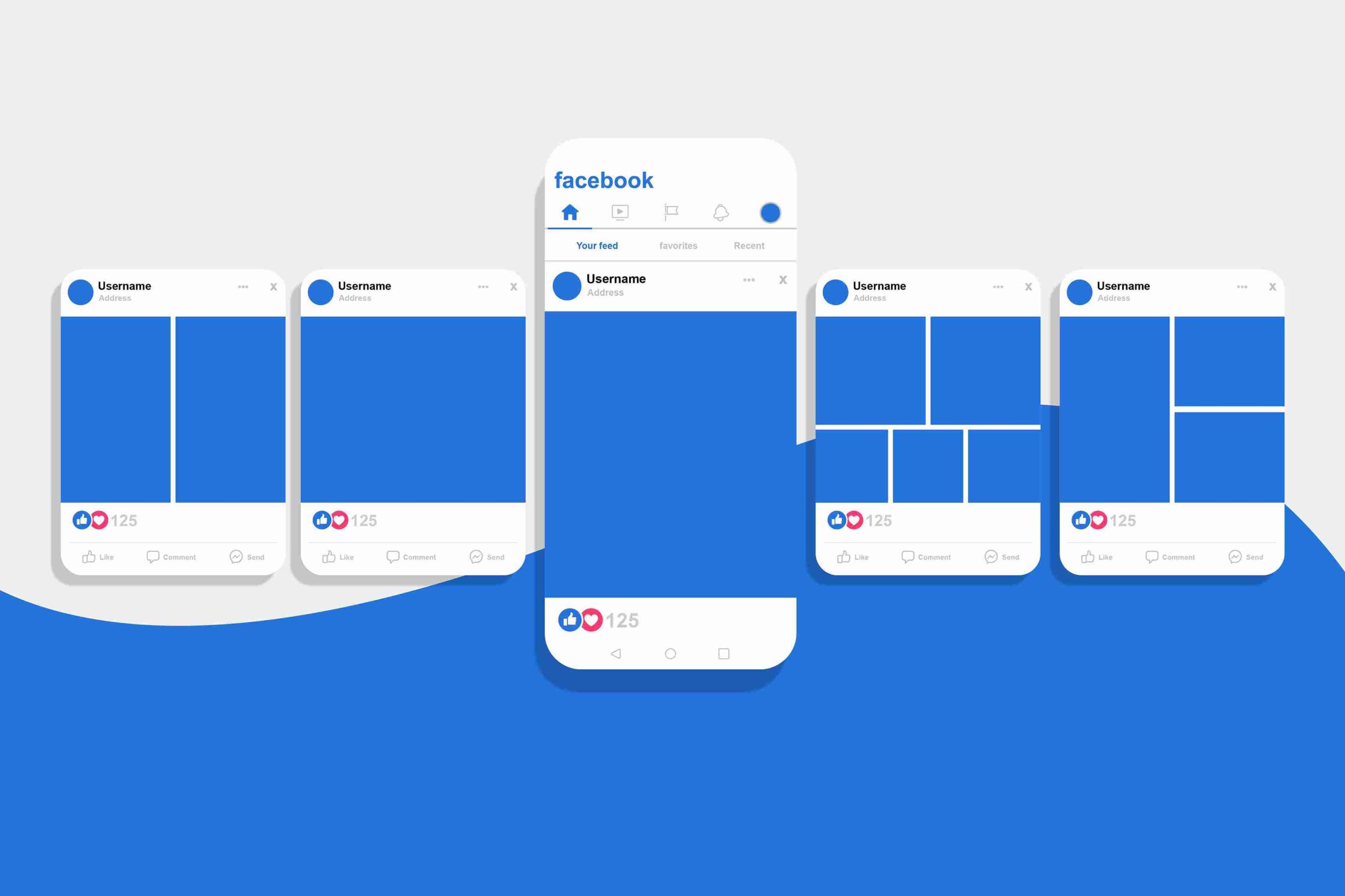
Getting your facebook picture size right can make or break your social media presence. Small business owners and independent entrepreneurs often struggle with blurry uploads, awkward cropping, and inconsistent branding across devices. This comprehensive guide consolidates the latest specifications, practical workflows, and strategic insights to help you create pixel-perfect visuals that command attention in any feed.
Why Correct Sizing Matters More Than Ever
Visual consistency builds trust. When potential customers encounter your brand on Facebook, they form impressions within milliseconds. A distorted cover photo or pixelated profile image signals unprofessionalism, while crisp, properly formatted graphics demonstrate attention to detail and operational excellence.
The platform’s algorithm also favors engagement. High-quality images that display correctly across desktop and mobile generate more interactions, which increases your organic reach. Conversely, poorly sized visuals get cropped unpredictably, hiding your calls-to-action and diluting your messaging impact.
Most importantly, Facebook’s display technology continues evolving. The company regularly adjusts how content renders on different screens, meaning outdated specifications from 2024 may no longer apply. Staying current protects your marketing investment and ensures your content performs optimally across all touchpoints.
Facebook Profile Picture Dimensions: Your Digital Handshake
Your profile picture serves as your brand’s face across the entire platform. It appears beside every comment, post, and message you create. Selecting the right measurements for facebook profile picture ensures this critical asset always looks professional.
Recommended Specifications
Upload your profile image at 720×720 pixels minimum, though Facebook supports files up to 2048×2048 pixels. The platform displays this as a circle, so position essential elements centrally. Critical facial features or logo components should sit within the middle 60% of the frame to survive the automatic cropping.
The aspect ratio must remain 1:1 (perfect square). Facebook automatically converts rectangular uploads into circles, often cutting off important peripheral elements. Starting with a square canvas gives you complete control over the final composition.
File format selection impacts quality significantly. PNG files preserve sharp edges and text clarity, making them ideal for logos or graphics containing typography. JPEG works well for photographic content but introduces compression artifacts that soften fine details. Keep file sizes under 100KB for fastest loading speeds.
Cross-Device Display Considerations
Your profile picture renders at different sizes depending on context. In newsfeed comments, it shrinks to 40×40 pixels. On desktop profiles, it expands to 170×170 pixels, while mobile devices display it at 128×128 pixels. Additionally, the thumbnail appears partially overlaid on your cover photo’s bottom-left corner.
Design for the smallest display first. If your image remains recognizable at 40×40 pixels, it will look excellent at larger sizes. Test your upload by viewing it across multiple devices before finalizing your selection.
Facebook Cover Photo Specifications: Maximizing Visual Real Estate
Your cover photo occupies the most prominent position on your page. This banner-style image sets the emotional tone for visitor experiences and provides valuable space for branding, promotions, and storytelling. Understanding the nuanced facebook picture size requirements for covers prevents costly display errors.
Desktop Versus Mobile Rendering
Facebook applies different cropping logic depending on the viewing device. On desktop monitors, cover photos display at 820×312 pixels, showing more width while trimming slight amounts from top and bottom edges. Mobile devices flip this equation, rendering at 640×360 pixels and cutting substantial portions from the left and right sides while revealing additional vertical space.
This dual-behavior creates a fundamental design challenge. Elements positioned near the edges of a desktop-optimized cover disappear entirely on smartphones. Conversely, mobile-first designs may appear awkwardly narrow when viewed on larger screens.
The Safe Zone Solution
Industry professionals solve this dilemma by designing for a “safe zone”—the central area visible across all devices. Keep all critical text, logos, and calls-to-action within the middle 640×312 pixel region. This ensures your messaging survives any cropping scenario while maintaining aesthetic balance.
For maximum compatibility, create your source file at 820×360 pixels. This dimension accommodates both display modes with minimal compromise. Background patterns or atmospheric imagery can extend to the full canvas edges, but treat the central zone as sacred space reserved for essential content.
Business Page Versus Personal Profile Variations
Business pages follow slightly different specifications than personal profiles. While personal covers work well at 851×315 pixels, business pages benefit from the 820×360 pixel approach described above. The platform applies additional compression to business content, making high-resolution source files even more important.

Consider your cover photo’s relationship with your profile picture. The circular thumbnail overlaps the bottom-left corner of your cover image on most devices. Avoid placing important visual information in this collision zone, or design intentionally knowing this overlap will occur.
Facebook Post Image Dimensions: Driving Feed Engagement
Newsfeed images require different strategic thinking than profile assets. These visuals must stop scrolling thumbs, communicate value instantly, and encourage interaction. Mastering image dimensions for facebook post content separates amateur pages from professional brands.
Single Image Post Specifications
Facebook accepts three primary orientations for feed posts, each serving different content objectives:
- Landscape format (1200×630 pixels, 1.91:1 aspect ratio) works best for panoramic photography, team photos, and wide product shots. This orientation maximizes horizontal space and creates cinematic impact.
- Square format (1080×1080 pixels, 1:1 aspect ratio) offers the most versatile presentation. These images display consistently across devices and work excellently for product showcases, infographics, and quote graphics. Square posts also perform well when cross-posted to Instagram.
- Portrait format (1080×1350 pixels, 4:5 aspect ratio) occupies maximum vertical space in mobile feeds, increasing visibility and dwell time. Use this orientation for detailed product photography, step-by-step tutorials, or storytelling sequences that benefit from extended vertical composition.
Multiple Image Layout Logic
When uploading galleries, Facebook abandons the traditional carousel format in favor of dynamic collage layouts. The platform arranges images differently based on quantity and orientation:
- For two images, Facebook displays them side-by-side at equal heights, regardless of original orientation. Both photos receive roughly 245 pixel width allocations.
- For three images, the layout becomes asymmetrical. The first image spans full width at reduced height, while the remaining two appear below at half-width each.
- For four images, Facebook creates a uniform 2×2 grid with each photo receiving equal prominence.
Beyond four images, the platform displays the first three or four prominently, then overlays a counter indicating additional content. This behavior makes image sequencing strategically important—your strongest visuals must appear first.
Shared Link Previews
Link posts pull imagery from your website’s Open Graph metadata. Control these appearances by specifying 1200×630 pixel images in your page headers. Facebook caches these images aggressively, so update your metadata well before sharing important links.
Square thumbnails (200×200 pixels minimum) appear beside link titles and descriptions rather than above them. This reduced prominence makes rectangular formats preferable for link-driven content strategies.
Advanced Content Formats: Stories, Events, and Groups
Modern Facebook marketing extends beyond basic feed posts. Understanding specialized facebook picture size requirements for these additional formats expands your creative toolkit.
Facebook Stories Specifications
Stories occupy full-screen mobile real estate, creating immersive experiences unavailable in standard feeds. Design these ephemeral posts at 1080×1920 pixels (9:16 aspect ratio) for complete screen coverage.
Critical interface elements occupy the top and bottom 14% of Story frames. Facebook places user handles, response buttons, and navigation controls in these zones. Keep all essential content within the central 72% to prevent obstruction.
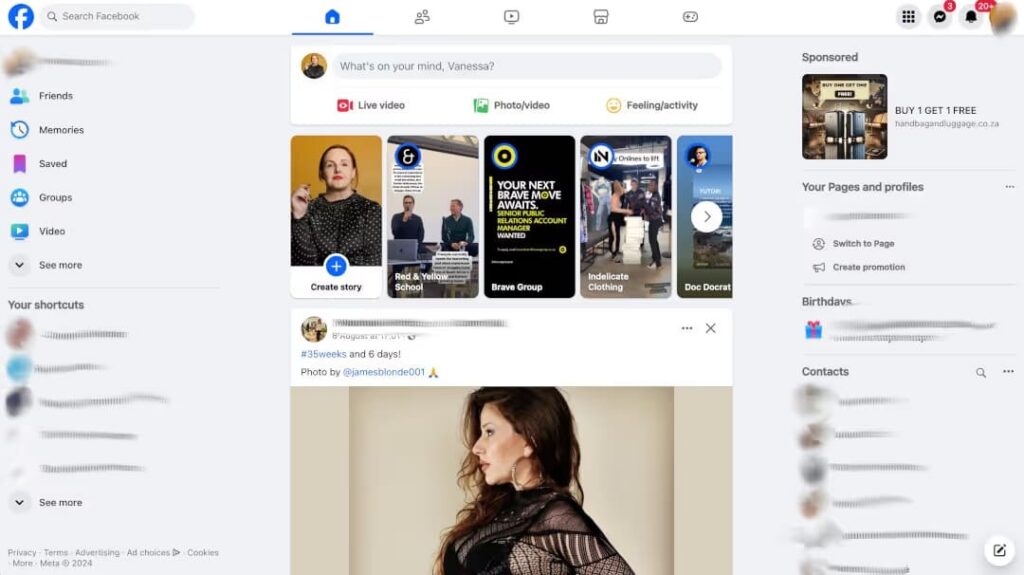
Stories support both static images (5-second duration) and video content (up to 15 seconds). File size limits stand at 30MB for images and 4GB for video. The platform automatically advances static posts after five seconds, so design with this temporal constraint in mind.
Event Cover Photos
Event pages require dedicated visual assets distinct from business page covers. The recommended facebook picture size for events measures 1920×1005 pixels, accommodating high-resolution displays while maintaining 16:9 aspect ratio.
Event covers function as digital flyers. Unlike business page banners that rotate frequently, event covers remain static throughout the promotional period. This stability makes them ideal for embedding essential information—dates, times, venues, and pricing—directly into the graphic.
Remember that event covers become uneditable after publication. Triple-check all details before launching your event, as replacement requires deleting and recreating the entire page.
Group Cover Specifications
Community group covers welcome new members and establish group identity. At 1640×856 pixels (1.91:1 aspect ratio), these banners offer substantial creative canvas while requiring careful mobile optimization.
Group covers appear differently depending on member viewing context. Mobile visitors see cropped versions focusing on central imagery, while desktop users experience the full composition. Design group covers as atmospheric backgrounds rather than information-dense graphics, since text may disappear on smaller screens.
Technical Best Practices: File Formats and Optimization
Proper dimensions mean nothing without appropriate technical execution. These workflow recommendations ensure your facebook picture size choices translate into flawless final displays.
Format Selection Guidelines
- PNG format excels for graphics containing text, logos, or sharp geometric elements. The lossless compression preserves edge clarity and prevents the artifacts that plague compressed formats. However, PNG files typically run larger than alternatives, potentially impacting loading speeds on slower connections.
- JPEG format suits photographic content where subtle color variations matter more than edge precision. Apply moderate compression (quality setting 80-85 in most editing software) to balance visual fidelity against file size. Aggressive compression creates visible blocking and banding that cheapens your brand appearance.
- WebP format offers superior compression efficiency but enjoys inconsistent platform support. Facebook accepts WebP uploads but may convert them to traditional formats during processing. Until universal compatibility arrives, stick with PNG or JPEG for predictable results.
Compression and Loading Speed
Facebook applies additional compression to all uploaded images, often degrading quality beyond your original specifications. Combat this by uploading files slightly larger than minimum requirements, giving the platform’s algorithms more data to work with.
Keep final file sizes under 100KB whenever possible. While Facebook accepts larger files, heavy images load slowly on mobile networks, increasing bounce rates and reducing engagement. Tools like TinyPNG or Squoosh.app provide browser-based optimization without requiring complex software.
Avoid repeatedly re-saving JPEG files, as each save cycle introduces additional compression artifacts. Maintain master files in lossless formats (PSD, TIFF, or PNG) and generate web-optimized versions only at final export.
Color Space and Profile Management
Facebook operates in the sRGB color space. Images created in Adobe RGB or CMYK (print-oriented) color spaces undergo automatic conversion, often shifting hues unpredictably. Convert all assets to sRGB before upload to ensure color accuracy.
Embedded color profiles occasionally cause display inconsistencies across devices. Stripping unnecessary metadata reduces file size and eliminates potential rendering conflicts. Most optimization tools offer metadata removal options during processing.
Strategic Implementation: Building Visual Systems
Technical specifications enable execution, but strategic thinking drives results. These implementation frameworks help small business owners maximize their visual investments.
Template-Based Workflows
Create reusable design templates for recurring content types. Establish master files with proper facebook picture size foundations, placeholder text, and branded color palettes. This systematic approach accelerates production while maintaining consistency.
Canva, Adobe Express, and similar tools offer pre-sized Facebook templates. However, verify these against current specifications, as template libraries sometimes lag behind platform updates. Customize templates with your brand fonts, colors, and graphic elements to differentiate from competitors using identical starting points.
Mobile-First Design Philosophy
Design all assets assuming mobile viewing first, then verify desktop compatibility. Over 80% of Facebook engagement occurs on smartphones, making mobile optimization the higher-priority use case. Desktop displays offer more forgiving margins and larger visual fields, so mobile-optimized content rarely fails on larger screens.
Test uploads immediately on multiple devices before scheduling campaigns. Facebook’s preview tools provide approximations, but real-device testing reveals actual user experiences. Check both iOS and Android implementations, as rendering engines differ slightly between platforms.
Seasonal and Promotional Adaptations
Cover photos offer prime promotional real estate. Rotate these banners quarterly to reflect seasonal campaigns, product launches, or company milestones. Maintain consistent branding elements—color schemes, logo placement, typography—while updating messaging and imagery.
Create cover photo variations in advance, properly sized and optimized. Having pre-approved assets ready enables rapid response to market opportunities without scrambling for appropriate facebook picture size specifications under deadline pressure.
Troubleshooting Common Display Issues
Even experienced marketers encounter unexpected display problems. These diagnostic approaches resolve typical challenges quickly.
Blurry or Pixelated Images
Blur almost always stems from resolution mismatches. If your uploaded image contains fewer pixels than Facebook’s display container, the platform stretches it to fit, creating visible softness. Always upload at or above recommended dimensions, never below.
Compression artifacts create a different blur type—blocky, banded degradation particularly visible in gradient areas or solid color fields. Export PNG files for graphics containing these elements, or increase JPEG quality settings substantially.
Unexpected Cropping
Cropping surprises usually indicate orientation mismatches or safe zone violations. Review your design against the device-specific display dimensions outlined earlier. If critical elements disappear on mobile, they likely sit outside the protected central region.
Facebook occasionally changes display logic without announcement. If previously functional images suddenly crop differently, check official documentation for specification updates. Community forums and social media marketing publications typically report these changes quickly.
Slow Loading Times
Heavy files create loading delays that increase bounce rates. If your cover photo or post images take seconds to appear, run them through compression tools. Consider whether high-resolution details actually improve user experience—often, modest dimensions perform equally well while loading instantly.
Conclusion
Mastering facebook picture size specifications transforms your social media presence from amateur to authoritative. By implementing these dimension guidelines, technical workflows, and strategic frameworks, small business owners create visual experiences that build trust, drive engagement, and convert followers into customers. The investment in proper sizing pays dividends through increased reach, improved brand perception, and measurable business results.
Ready to turn your target audience into actual sales? Skip the spreadsheets and launch winning Meta ads in 1 min—paste your URL, pick a campaign, and let Didoo AI Agent do the rest. Start your free 7-day trial today and watch tomorrow’s revenue advertise itself.FAQ
Facebook automatically resizes and crops mismatched uploads, often with unpredictable results. Images smaller than minimum requirements stretch and blur. Images larger than containers crop unpredictably, potentially hiding important content. Always design to specifications for controlled, professional presentation.
Technically possible but strategically unwise. Profile pictures require square formats and circular cropping, while cover photos need rectangular dimensions. The same source image requires drastic recomposition for each use case, usually producing suboptimal results for both applications.
Business pages benefit from quarterly updates minimum, with monthly changes for active campaigns or seasonal businesses. Personal profiles require less frequent updates—semi-annual refreshes maintain currency without appearing erratic. Event covers remain static throughout the event lifecycle.
Professional designers prefer Adobe Photoshop or Illustrator for complete control. Small business owners achieve excellent results with Canva, which offers pre-sized templates and intuitive editing. Free alternatives include GIMP (desktop) and Photopea (browser-based), both supporting precise dimension control.
Instagram shares Facebook’s parent company but operates different dimension standards. Square posts (1080×1080) work across both platforms, but Stories, covers, and feed posts require platform-specific approaches. Cross-posting identical content often produces compromised results on one platform or both. For more on this topic, see our guide on Facebook Ads Not Delivering.